18. Setting Up
Getting Started
Generals of Kaladan: Age of Crowns – Standard setup sequence for 2-6 players
Getting Started
Step 1 – Determine Turn Order
- Each player rolls a ten-sided die (D10).
- The highest roll becomes First Player.
- If there is a tie, tied players reroll until the tie is broken.
- Turn order is clockwise.
Ten-sided die (D10)
Step 2 – Build the World
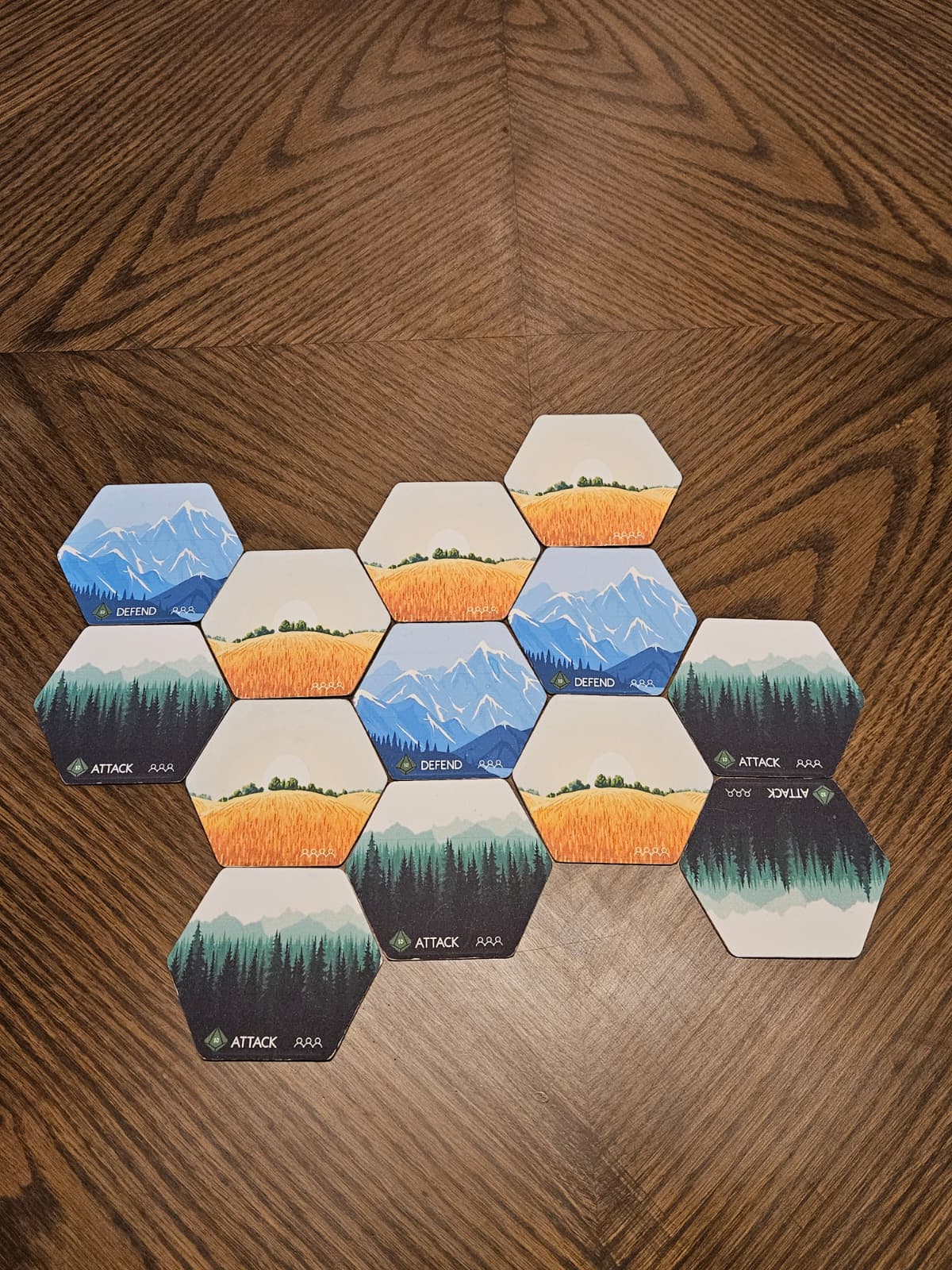
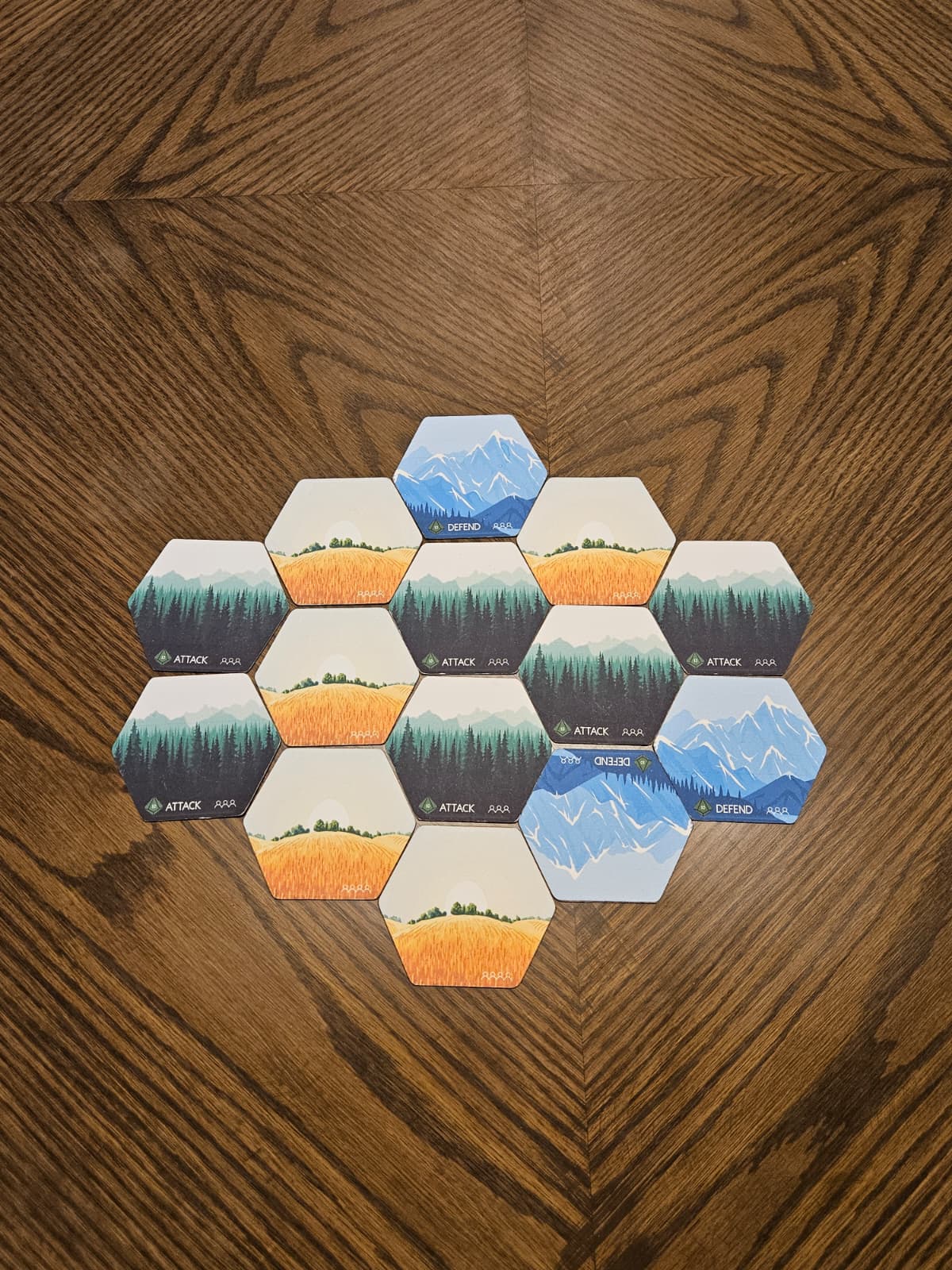
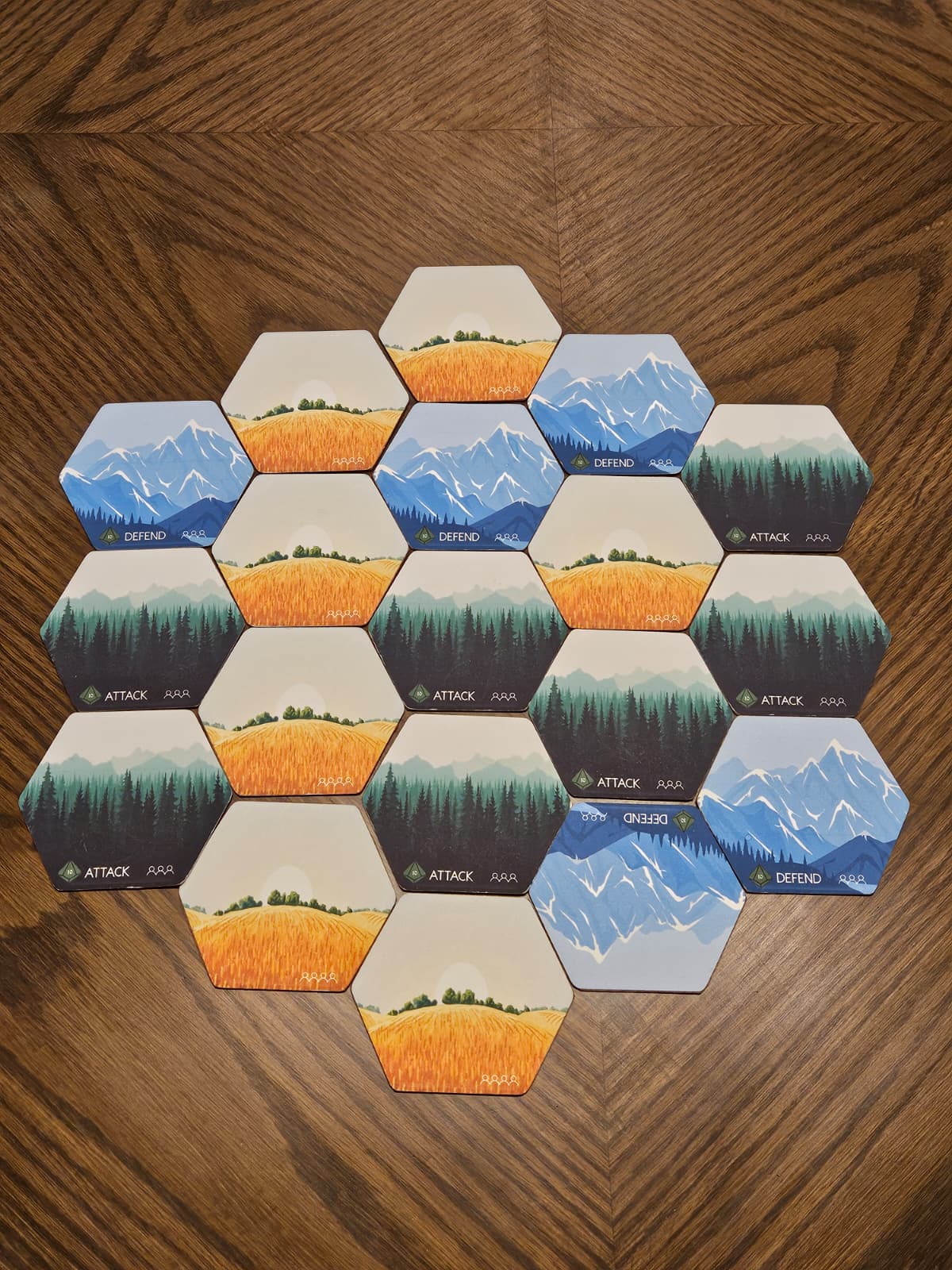
Build the world by placing the required number of terrain tiles based on your player count. Follow the layout shown in your setup guide.
2 Players – 7 Tiles
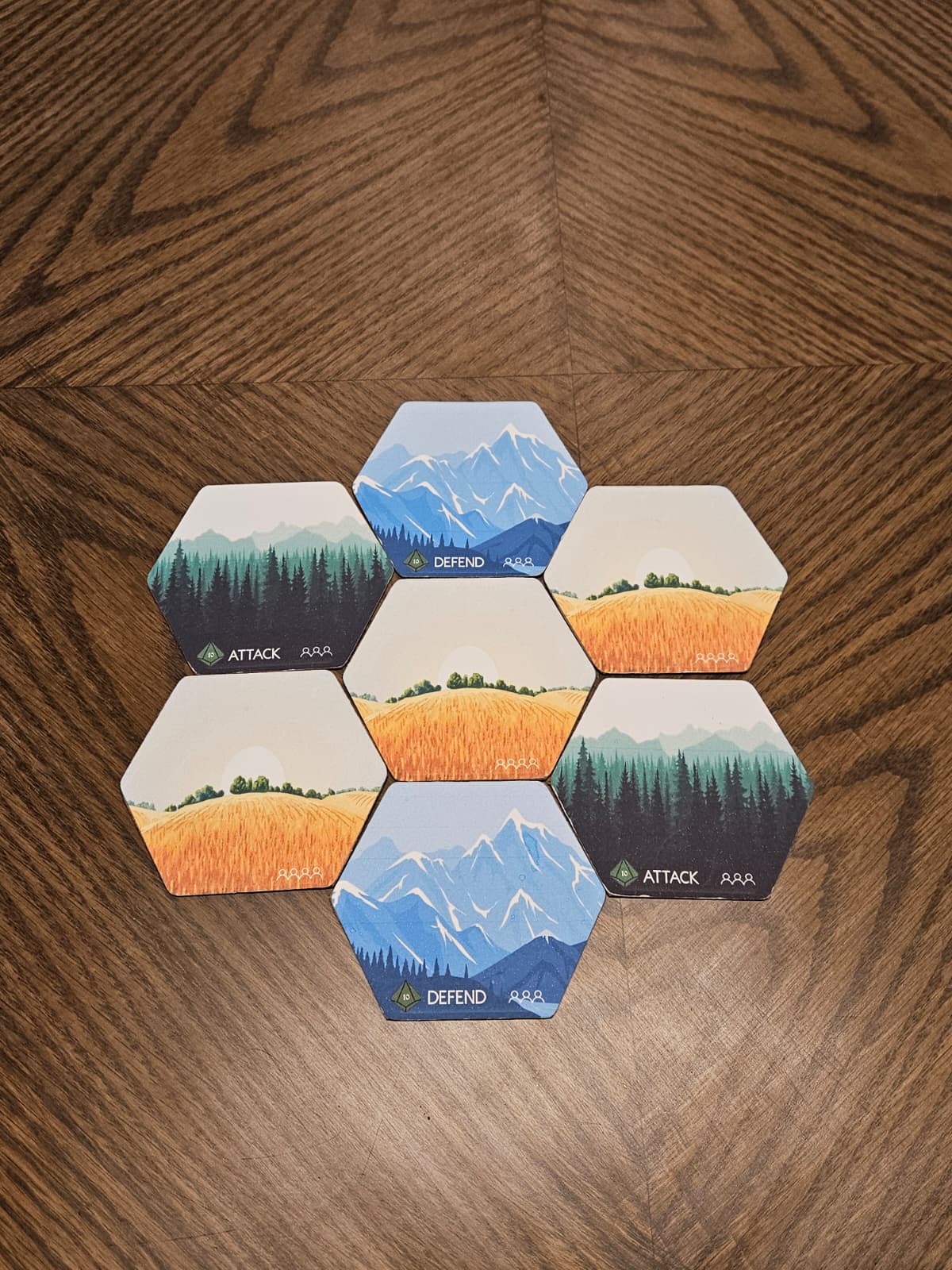
3 Players – 7 Tiles
4 Players – 13 Tiles
5 Players – 14 Tiles
6 Players – 19 Tiles
World Building Instructions:
- Shuffle all terrain tiles and place them face down.
- Taking turns starting with the First Player, draw tiles randomly and build the world following the layout shown above.
- Continue until you have built the complete world for your player count.
Players may opt to build the world in a different way in advanced game modes.
Step 3 – Choose Realms and Draw Magic
Still following the turn order from Step 1:
- Each player chooses their Realm.
- For that Realm, the player receives:
- That Realm's Player Board
- A Castle tile
- Their full army consisting of:
- 1 Crown
- 1 General
- 2 Catapults
- 4 Archers
- 4 Shields
- 4 Swords
- The Realm's Special Unit
- The Realm Card
Each player then:
- Shuffles their designated Realm Magic deck.
- Draws 1 Magic card at random from that deck.
- Keeps this card hidden from other players.
- Does not take the full deck into their personal area; the deck remains accessible for the player to swap or purchase from when applicable.
Realm Assets Example
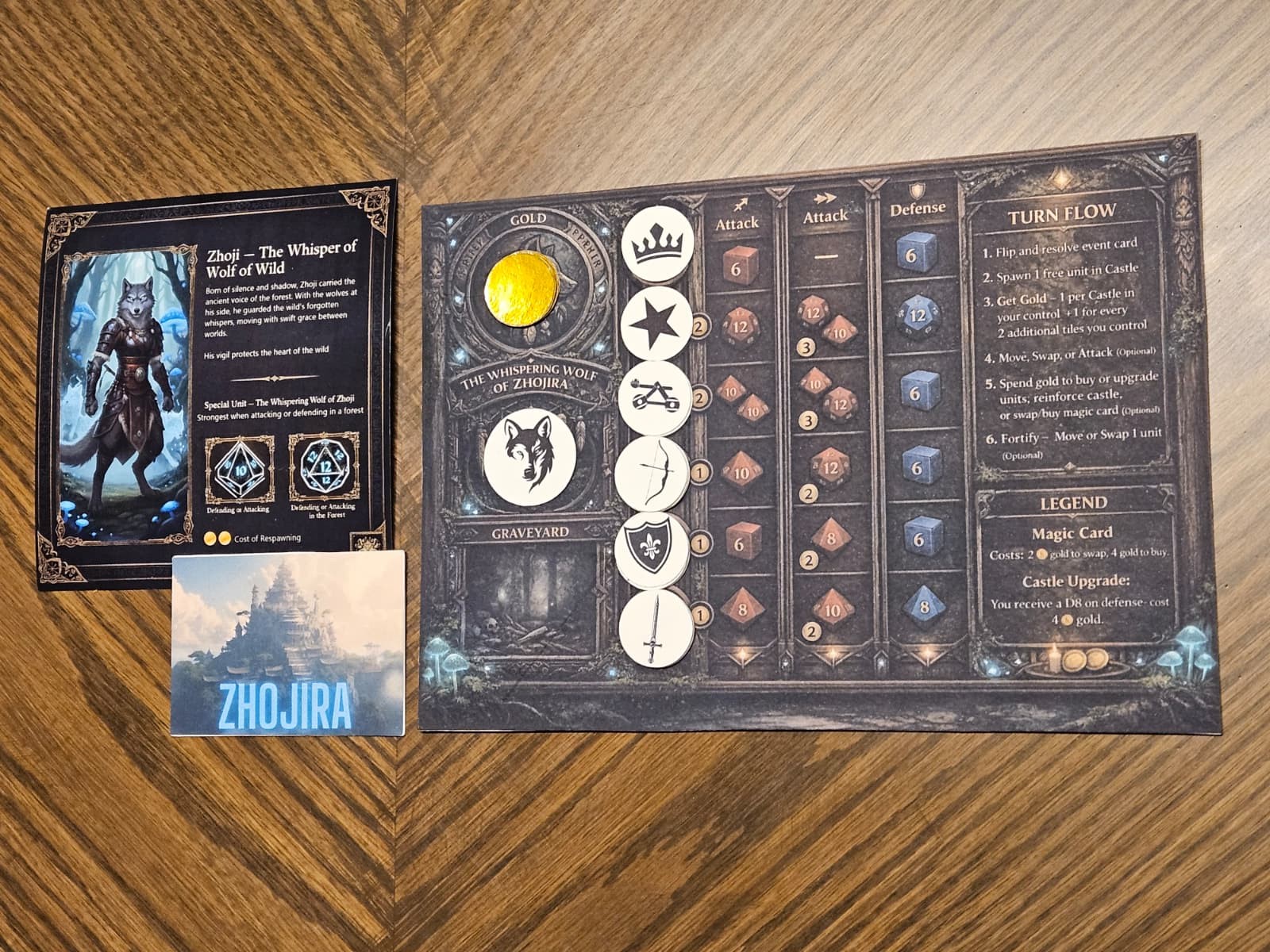
Visual reference of all realm components
At this stage, every player has:
- An army color
- A chosen Realm with full starting army
- A Realm Player Board
- A Castle tile
- Their Realm's Special Unit and Realm Card
- 1 secret Magic card in hand
Step 4 – Place Castles (Reverse Turn Order)
Castle placement shapes the initial fronts. The brown tiles represent the castle positions. Players place their Castle tiles in reverse turn order (the last player goes first, and the First Player goes last).
Castle Positions by Player Count
2-Player
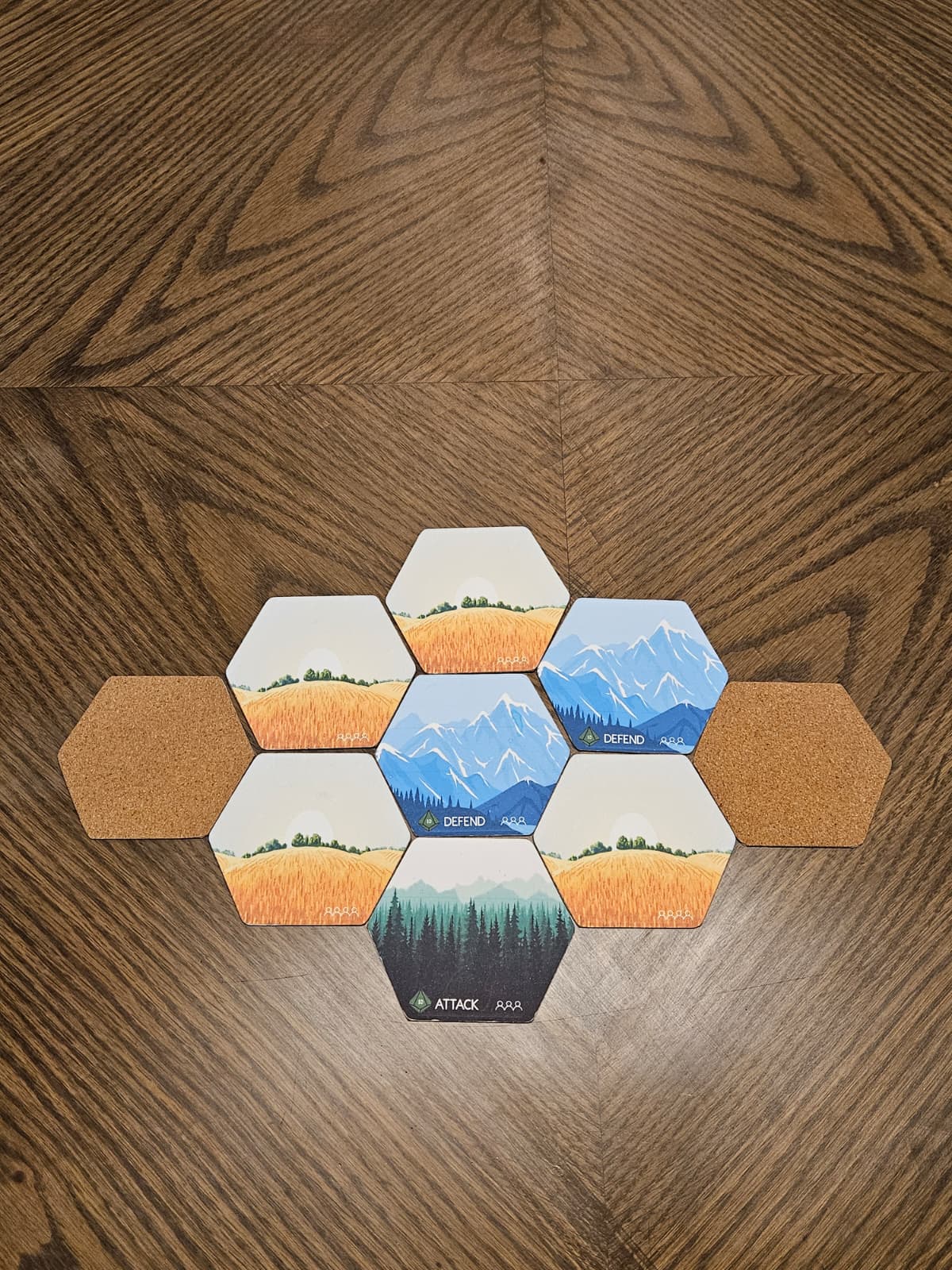
3-Player
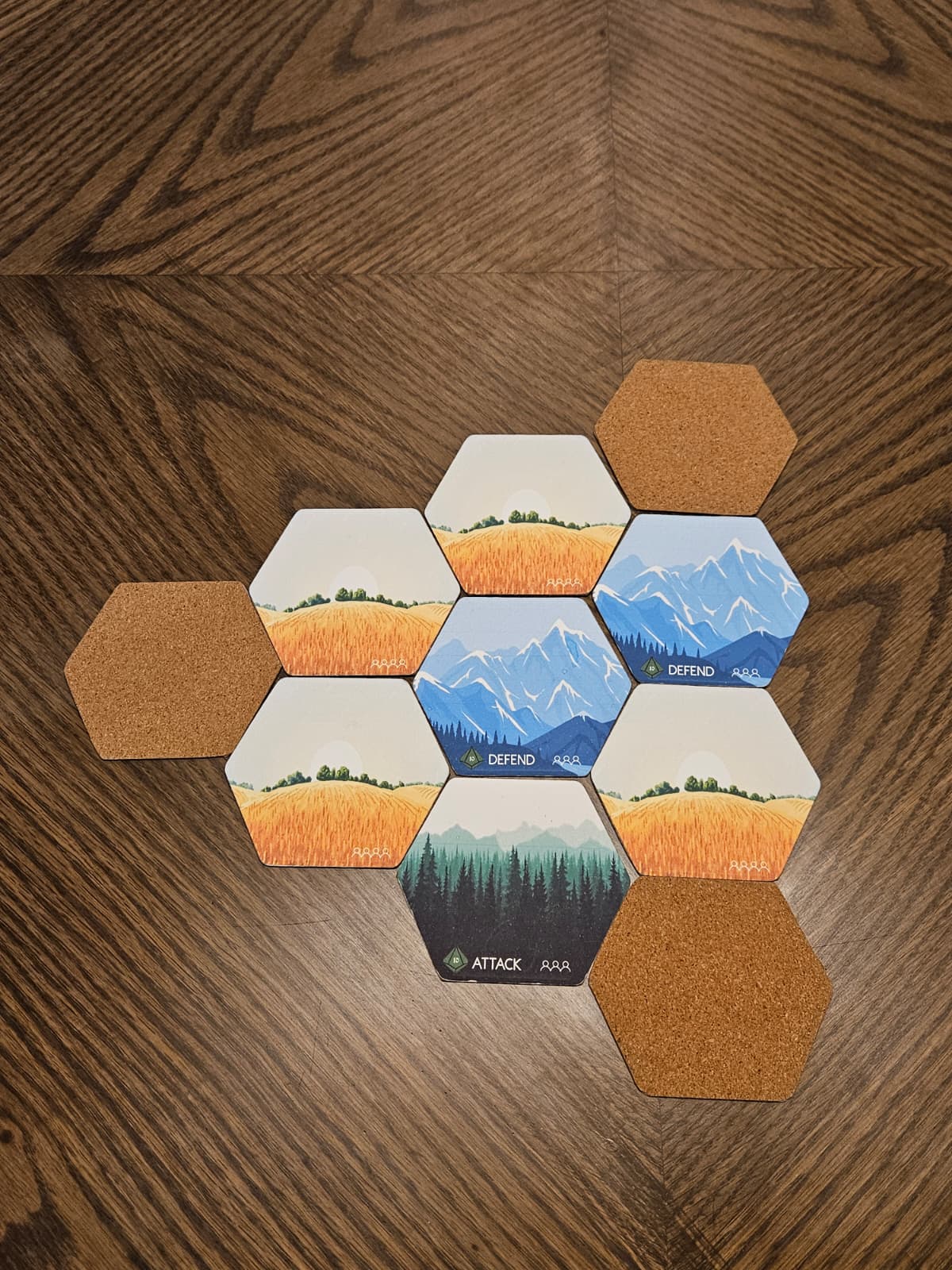
4-Player
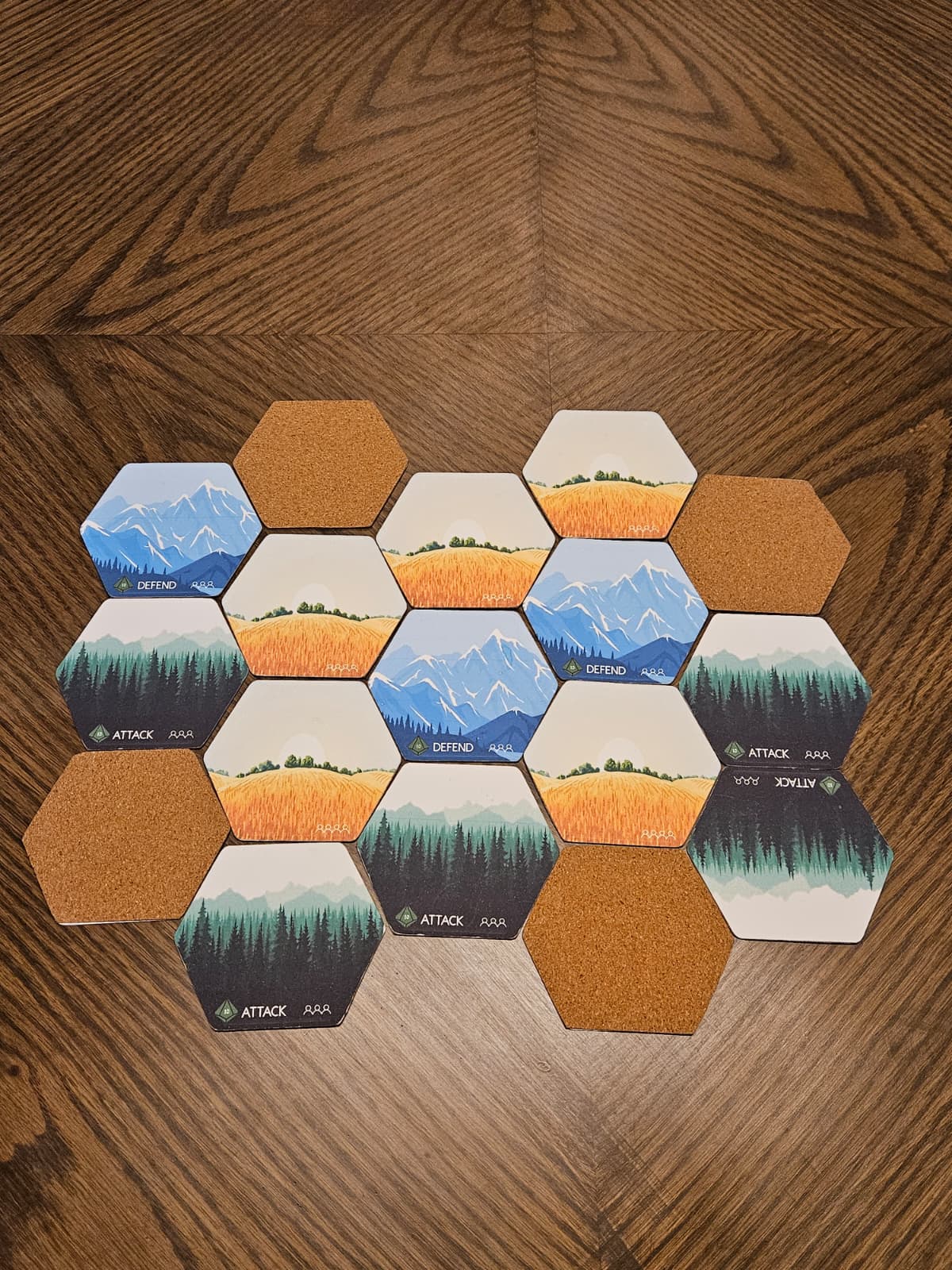
5-Player
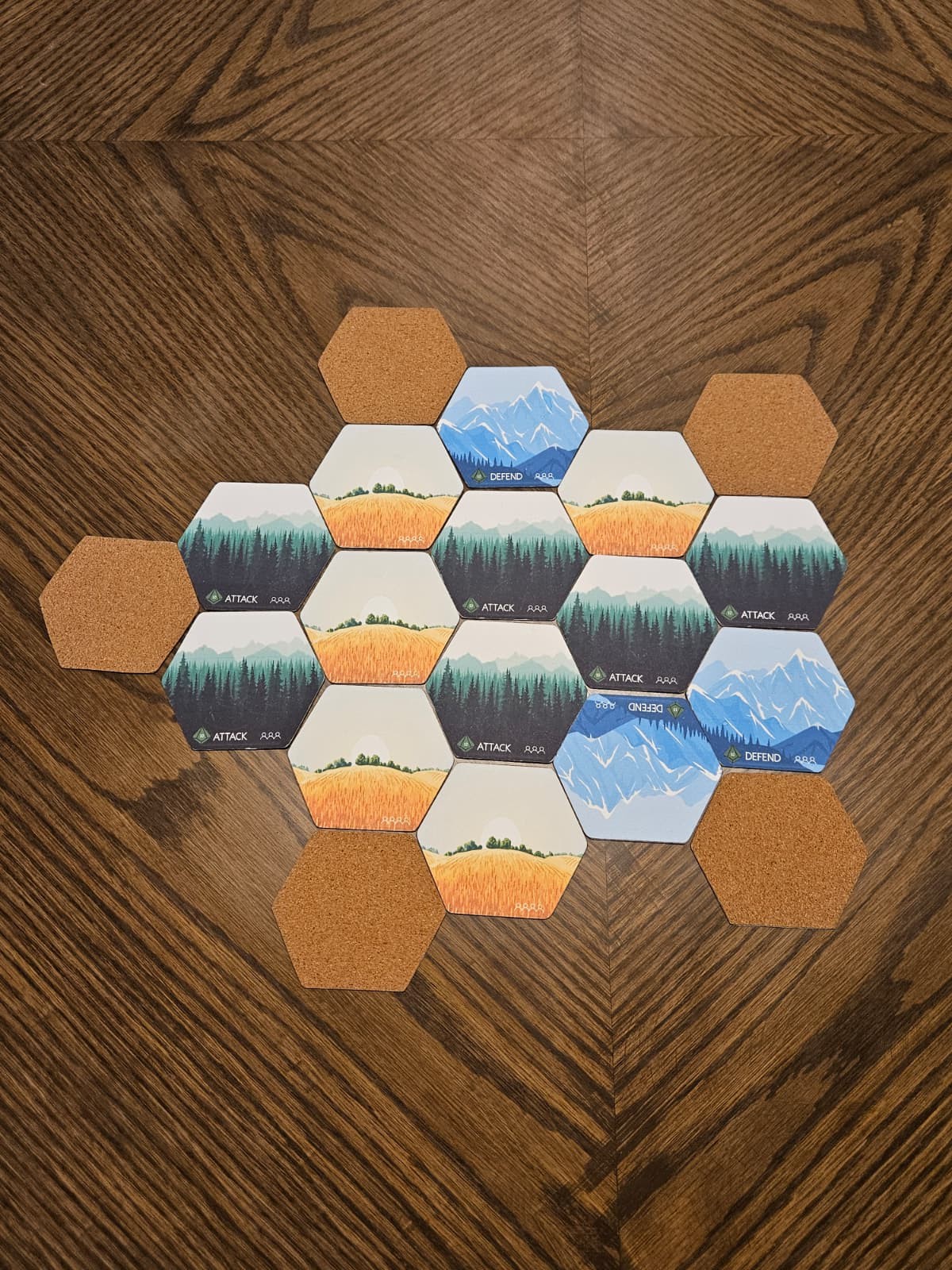
6-Player
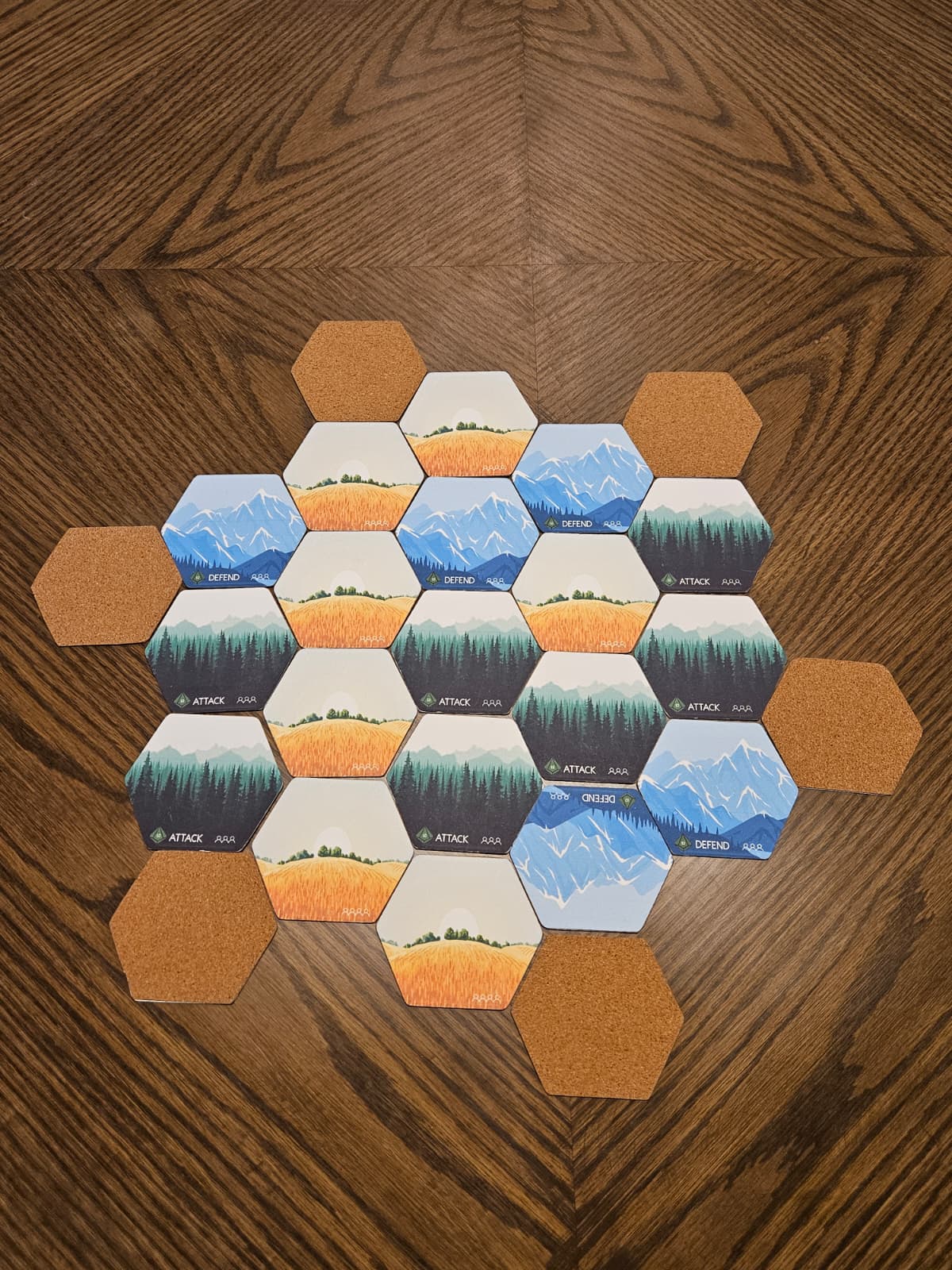
On your turn:
- Place your Castle in one of the allocated slots shown above based on the number of players.
Repeat in reverse order until all players have placed exactly one Castle tile in a designated Castle position.
At the end of this step, the table should match the full player-count layout image: the complete world plus 1 Castle tile in each designated position.
Step 5 – Initial Deployment on Your Castle Tile
Now each player deploys their starting forces on their own Castle tile.
On your Castle tile, place:
- Your Crown
- Your Realm's Special Unit
- 1 General
Capacity details:
You may never exceed capacity unless a specific rule or card explicitly allows it.
All Castle Tiles have a maximum capacity of 5 units.
The Special Unit and Crown count towards tile capacity.
After this step, every player has a fully established Castle tile holding their Crown, Special Unit, and 1 General. All remaining units stay in army reserves.
Step 6 – Prepare the Event Deck, Gold, and Army Reserves
Before the first turn:
Event Deck
- Shuffle the shared Event deck and place it face-down within reach of all players.
- This pile drives the Event Phase at the start of each player's turn (not once per round).
Gold
- Place all Gold in a pile next to the game board. (Optionally – assign banker)
- Players start with 0 Gold.
Reserves
All units not deployed on Castle tiles remain off-board as each player's reserves placed on the player board.
Starting army reserves for basic gameplay:
- 2 Catapults
- 4 Swords
- 4 Archers
- 4 Shields
(Remember: 1 General, 1 Special Unit, and the Crown are already deployed on your Castle tile from Step 5)
Keep them sorted by type for quick access during Free Spawn and Purchase phases.
Step 7 – Victory Condition
Standard basic victory condition:
Last Crown standing wins.
When a player's Crown is defeated, that player is eliminated immediately and removed from the game and their Special Unit is passed on to serve under the Crown that defeated them. It joins their reserves.
Units not defeated in direct battle are taken off the board.
Only units defeated in battle go to the victor's graveyard.
Ensure all players are aware of this standard victory condition before starting. Alternative or scenario-based victory conditions are part of advanced variants and not included in this basic setup.
Step 8 – Begin the First Turn
The full explanation for each phase is in the next section.
Once setup is complete, the First Player (from Step 1) takes the first turn. The basic turn sequence is:
1. Event Phase
Draw and resolve 1 Event card from the Event deck at the start of the current player's turn.
2. Income Phase
Gain Gold based on the territory you control:
- +1 Gold for every Castle you control.
- +1 additional Gold for every 2 non-Castle tiles you control (round down).
3. Free Spawn Phase
Each Castle you control may spawn 1 free unit, if there is capacity on that Castle tile.
The type of free unit is determined by the terrain type of the Castle tile:
- Castles on Forests spawn Archers.
- Castles on Mountains spawn Shields.
- Castles on Fields spawn Swords.
4. Action Phase
Choose one primary action for the turn:
- Move – maneuver your units according to movement rules.
- Swap – perform a legal swap of units where permitted by the rules.
- Attack – declare and resolve combat against an opponent's units or Castle.
5. Purchase Phase
You may spend Gold to purchase additional units from your reserves and deploy them according to the core rules.
This phase is optional – you are not required to spend Gold on your turn.
6. Reinforcement Phase
Move or swap one unit between two adjacent controlled tiles (subject to capacity and other movement rules).
This is your final opportunity to adjust your line for the next turn.
Detailed rules for movement, swapping, battle, and reinforcement are covered in separate sections of the Compendium: Gameplay – Basic Game (Turn Structure), Battle, and Units. For this page, it is enough to mark the point where setup ends and regular play begins.
3. What This Basic Setup Does Not Include
This Basic Game Setup section does not cover:
- Blitz or small-map variants
- World Builder or Fog of War advanced construction modes
- NPC Castles or narrative scenarios
- Alternative victory conditions or custom house rules
These belong in an Advanced Setup and Game Play section of the Compendium.