2. Setting Up
Getting Started
Setting up the game, the table, and getting ready to start the first turn
Step 1: Determine Turn Order
- Each player rolls a 12-sided die (D12).
- The highest roll becomes First Player.
- If there is a tie, tied players reroll until the tie is broken.
- Turn order is clockwise.
Step 2: Build the World
Build the world by placing the required number of terrain tiles based on your player count. Follow the layout shown in your setup guide, or use your imagination to create your own world using the available tiles.
2 Players
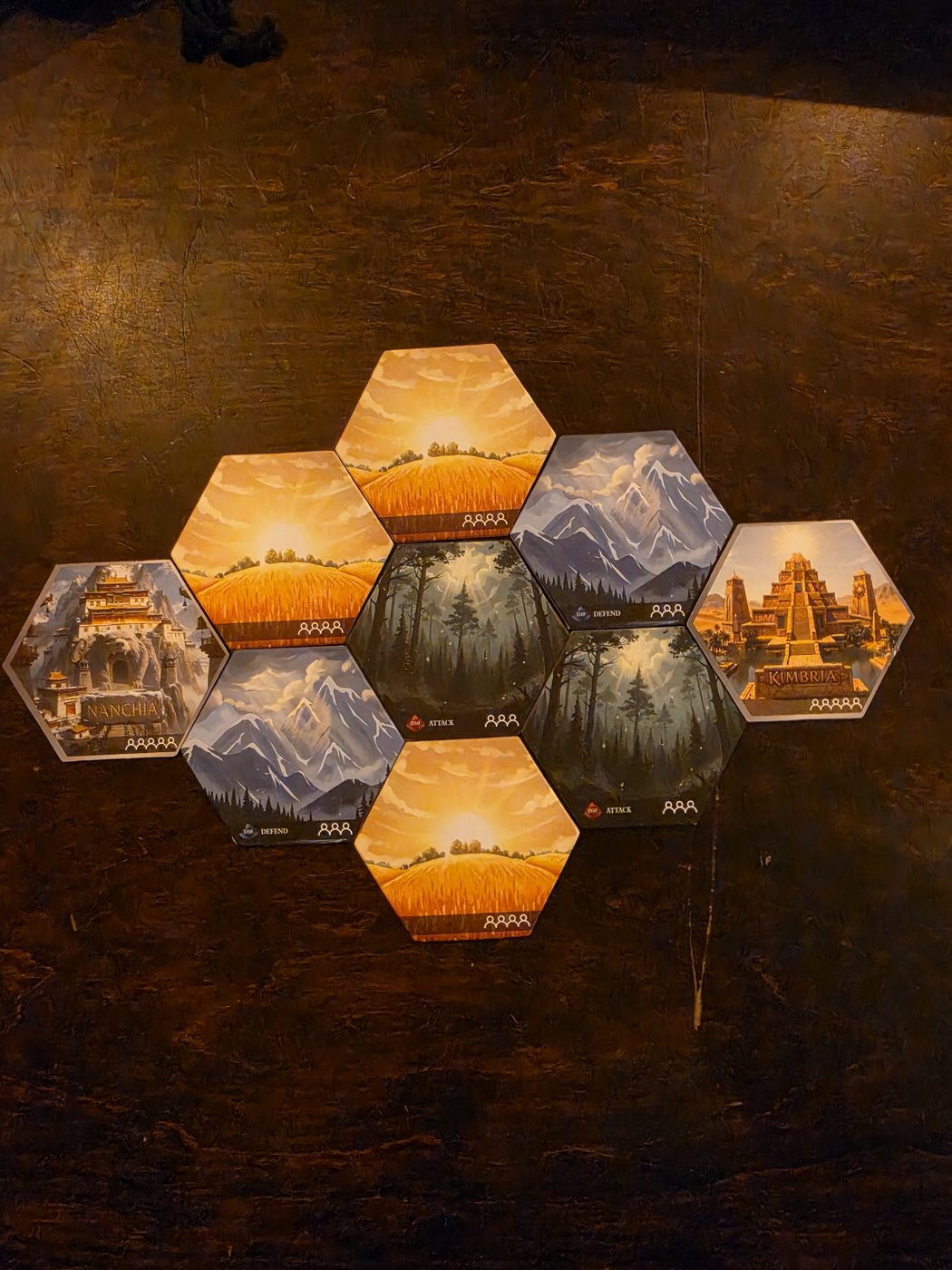
3 Players
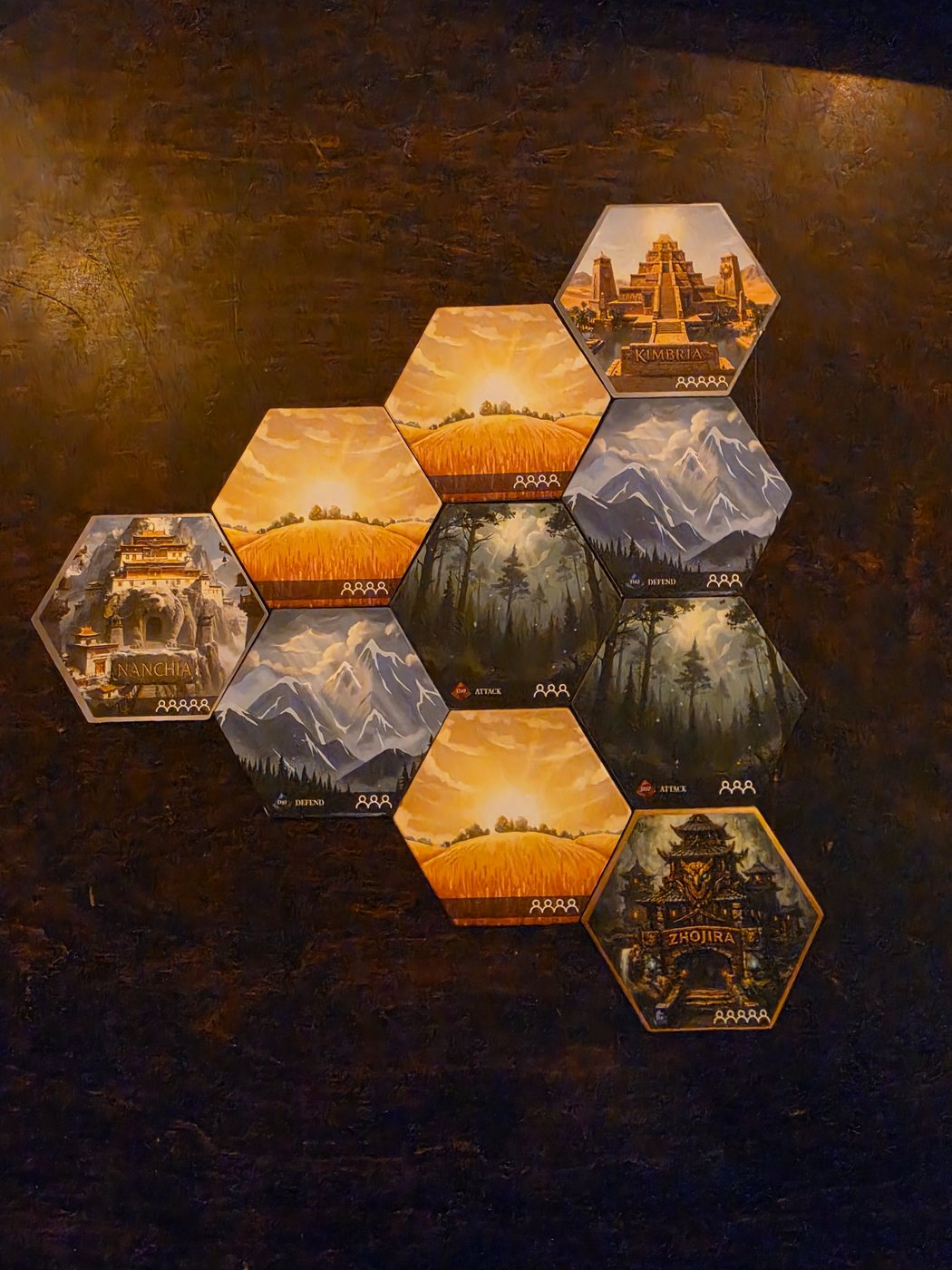
4 Players
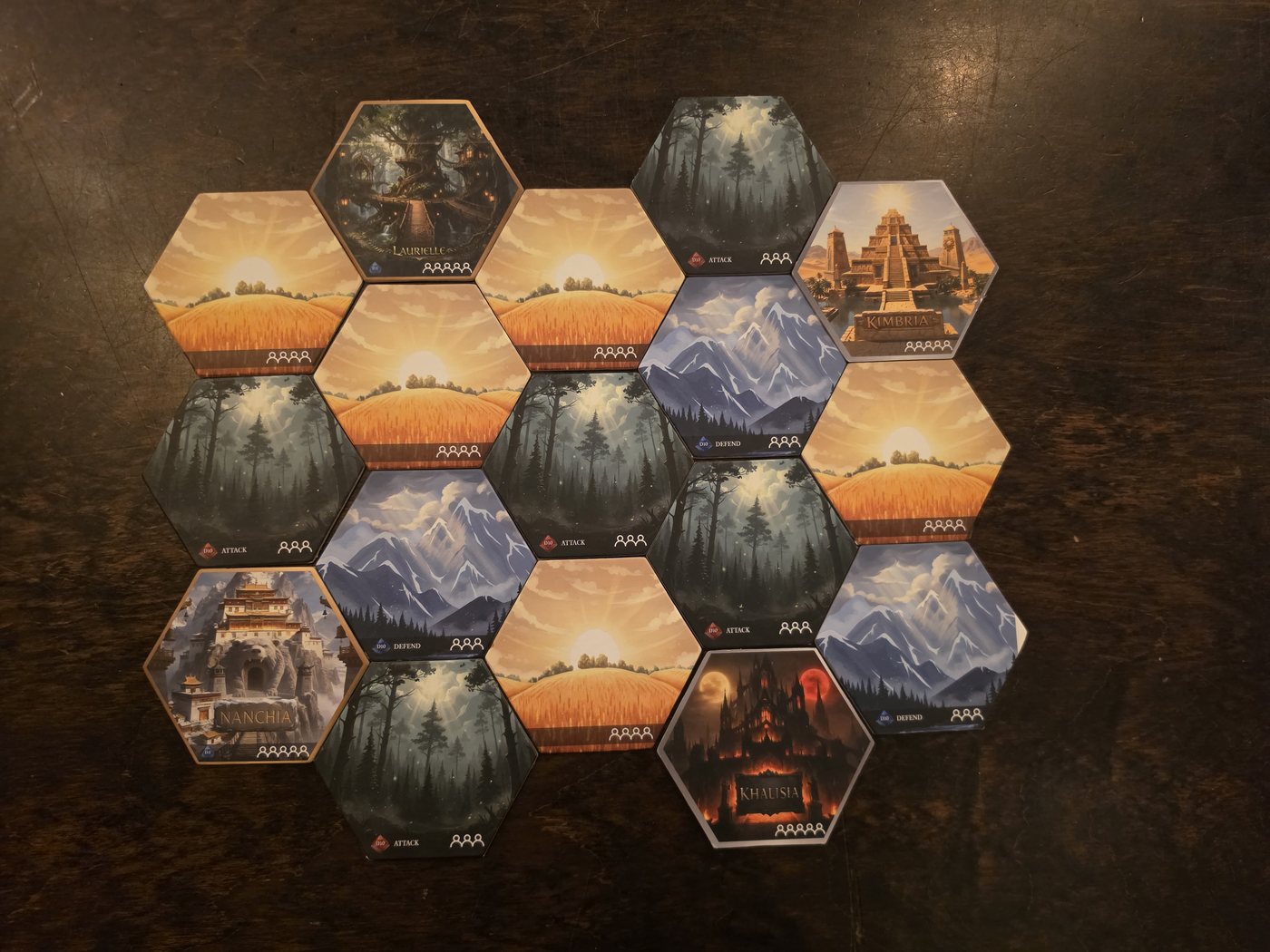
5 Players
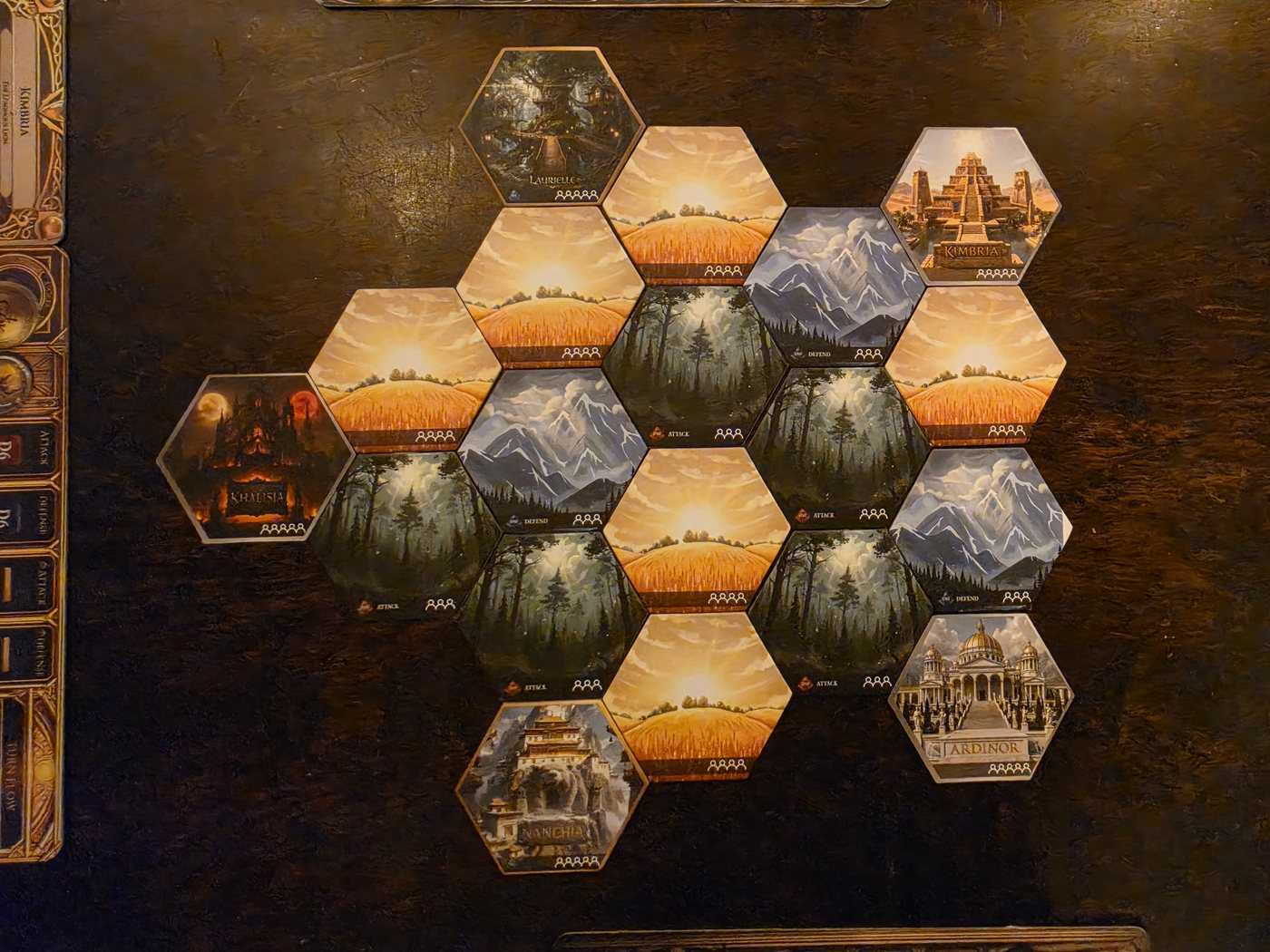
6 Players
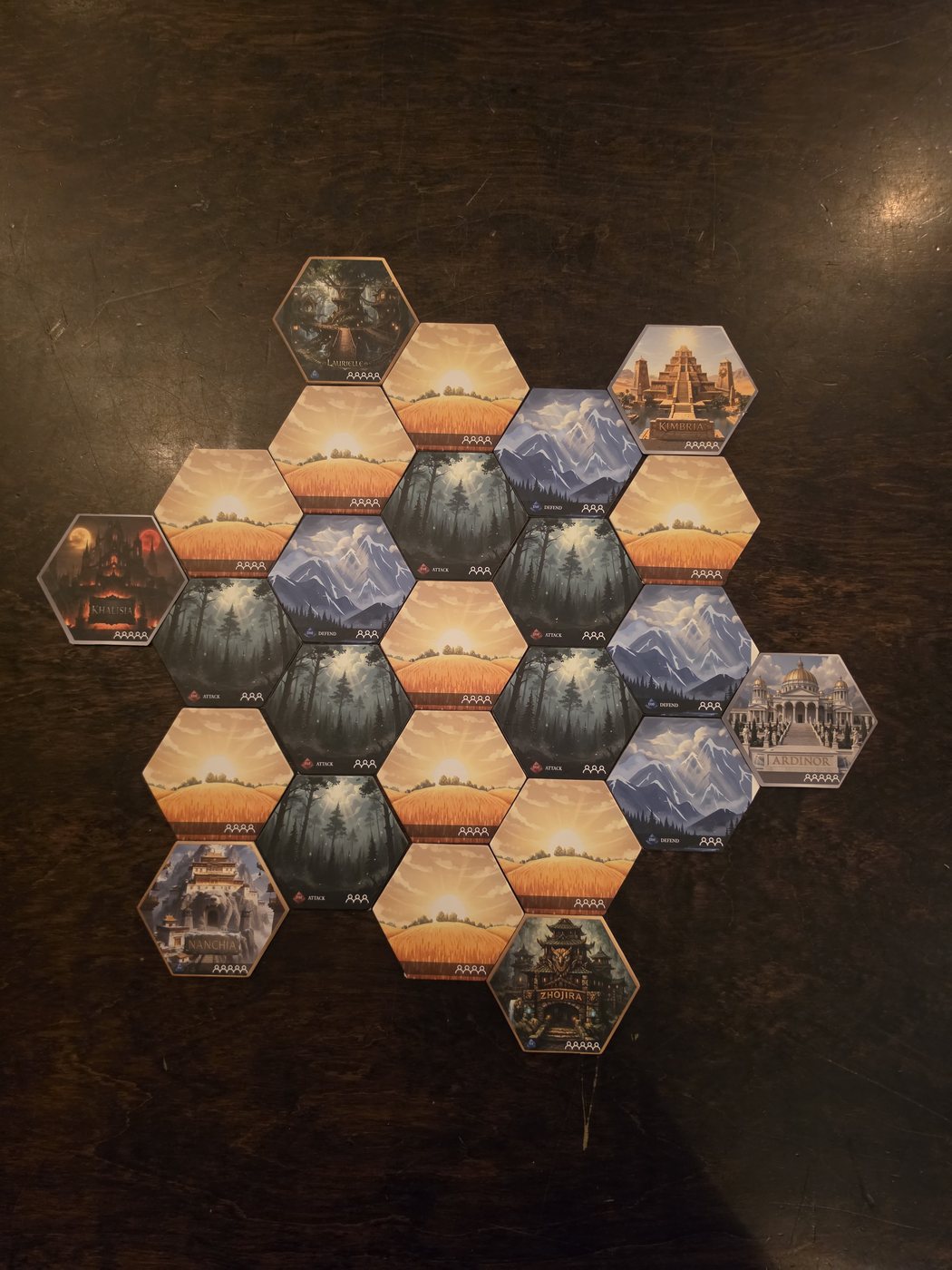
These photos show each world complete, with the Castles already placed in Step 4.
World Building Instructions
You may build the world exactly as seen above, OR:
- Shuffle all terrain tiles and place them face down.
- Taking turns starting with the First Player, draw tiles randomly and build the world following the layout shown above.
- Continue until you have built the complete world for your player count.
- Generals (players) may opt to build the world as they see it. Your imagination is the limit.
Step 3: Choose Realms and Draw Magic
Still following the turn order from Step 1, each player chooses their Realm. If more than one player wants the same realm, roll for it.
For that Realm, the player receives:
- That Realm's Player Board
- A Castle tile
- The Realm's Special Unit
- The Realm Card
- The Realm's Magic Cards
Each player then:
- Chooses 1 Magic Card to start with.
- Keeps this card hidden from other players.
- Does not take the full deck into their personal area. The deck remains accessible for the player to swap or purchase from when applicable.
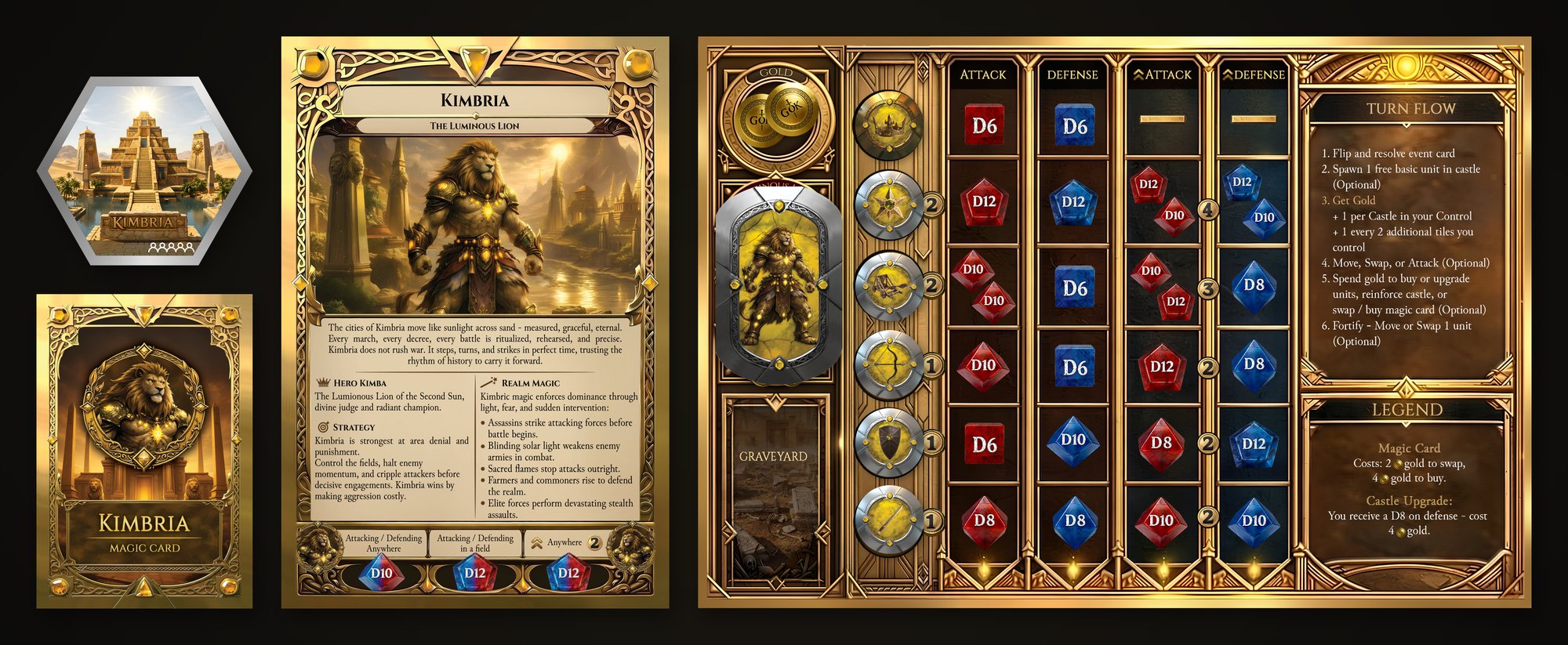
Example: the Kimbria realm components
Step 4: Place Castles (Reverse Turn Order)
Castle placement shapes the initial fronts. The photos below show where the Castle tiles go for each player count. Players place their Castle tiles in reverse turn order (the last player goes first, and the First Player goes last).
2 Players
3 Players
4 Players
5 Players
6 Players
On your turn
Place your Castle in one of the allocated slots shown above, based on the number of players.
Repeat in reverse order until all players have placed exactly one Castle tile in a designated Castle position.
At the end of this step, the table should match the full player-count layout image: the complete world plus 1 Castle tile in each designated position.
Step 5: Initial Deployment on Your Castle Tile
Each player now deploys their starting forces on their own Castle tile:
- Your Crown
- Your Special Unit
- 1 General
- 1 basic unit of your choice (Sword, Archer or Shield)
Capacity
You may never exceed capacity unless a specific rule or card explicitly allows it.
All Castle Tiles have a maximum capacity of 5 units.
The Special Unit and Crown count towards tile capacity.
After this step, every player has a fully established Castle tile holding their Crown, Special Unit, General and 1 unit of their choice. All remaining units stay in army reserves.
Step 6: Prepare the Event Deck, Gold, and Army Reserves
Before the first turn:
Event Deck
- Shuffle the shared Event deck and place it face down within reach of all players.
- This pile drives the Event Phase at the start of each player's turn (not once per round).
- Pick 1 End Game Event card and shuffle it into the last 8 cards of the Event deck. (Players may opt to play without an End Game Event.)
Gold
- Place all Gold in a pile next to the game board. (Optionally, assign a banker.)
- All players receive gold in ascending order: the starting player receives 0 gold before their first turn, player 2 receives 1 gold, player 3 receives 2 gold, and so on.
Reserves
All units not deployed on Castle tiles stay off the board as each player's reserves, placed on the player board.
Starting army reserves for basic gameplay
- 2 Catapults
- 4 Swords (or 3 if a Sword was your deployed starting unit)
- 4 Archers (or 3 if an Archer was your deployed starting unit)
- 4 Shields (or 3 if a Shield was your deployed starting unit)
Remember: 1 General, 1 Special Unit, 1 basic unit and the Crown are already deployed on your Castle tile from Step 5.
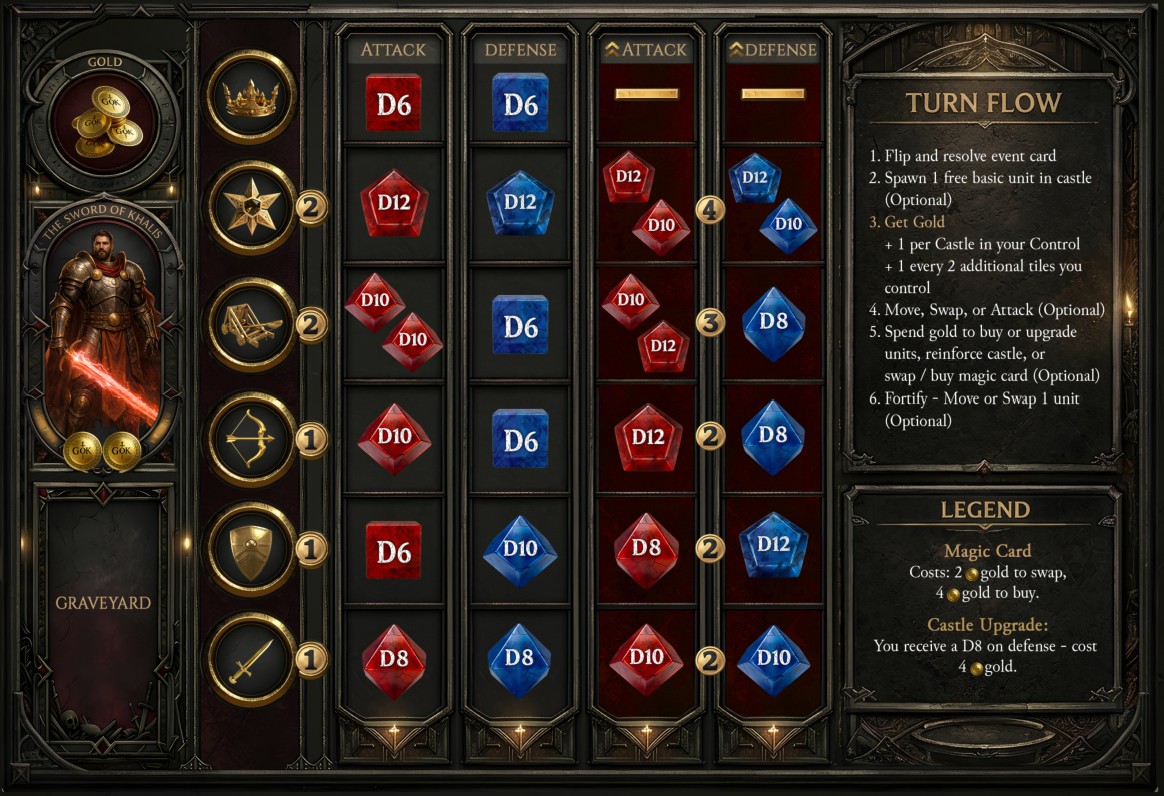
Keep your reserves sorted by type on your player board for easy recognition and quick deployment.
Player board
Victory Conditions: Last Crown Standing Wins
When a player's Crown is defeated, that player is eliminated immediately and removed from the game. Their Special Unit passes to serve under the Crown that defeated them. It joins that player's reserves and may be deployed like any other unit onto the board during their next Purchase Phase.
Units not defeated in direct battle (for example by an Event card, or the remaining units of a defeated Crown) are taken off the board but are not added to an opponent's graveyard.
Only units defeated in battle go to the victor's graveyard. This includes assassinated units.